**1. **Log into your cPanel account.
2. In the "Software and Services" section, click on "Softaculous" Icon.
 **
3. **cPanel will redirect you to the Softaculous Panel.
**
3. **cPanel will redirect you to the Softaculous Panel.
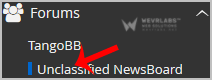
**4. ** On the left side of your screen you should locate the "Forums" category. Click on it and then click on the "Unclassified NewsBoard" link that will appear.
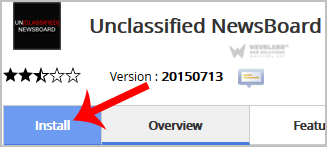
**5. **Click on the "Install" button.
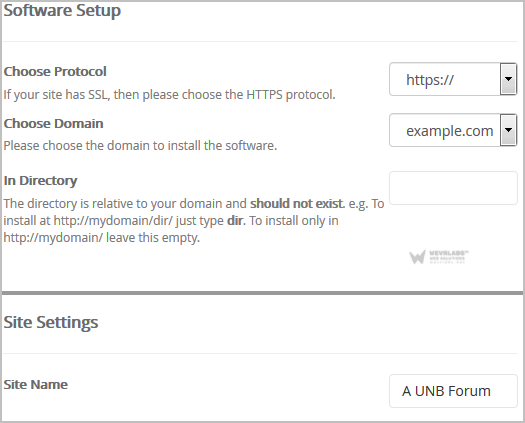
**6. **Fill the necessary field under the "Software Setup" field:
-
Choose Protocol: You can leave this as it is.
-
Choose Domain: If you don't have multiple domains, leave this as it is.
-
In Directory: If you want to install this in a directory, for example example.com/forum, enter the directory name. Otherwise, leave this blank to install in your main domain example.com
7. Enter the following details under the "Site Settings" field:
- **Site Name: **Name of your Forum like "Your Domain Name - My Forum Name"
** 8.** Under the "Admin Account" field enter the following information:
-
**Admin Username: **Your new Unclassified NewsBoard username (for security reason do not use the "Administrator" or the "Admin" username.)
-
Admin Password: Use a strong password.
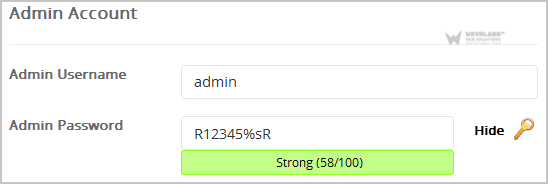
Note: Copy the admin username and password on a notepad because you will need these login details to access the admin area of your Unclassified NewsBoard Forum.
9. Advanced Options: Leave this as it is, unless you want to change the database name or take an automated backup. Please note that taking frequent backups may take a lot of disk space.** **
Finally, scroll down to the end of page and click on the Install Button.