

It is possible to remove multiple post in your WordPress dashboard. You can also remove selected posts with just a few clicks.
1. Login to your WordPress admin dashboard.
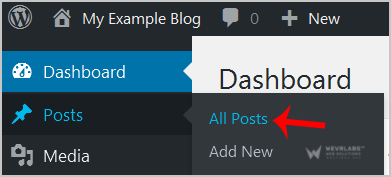
2. Under the dashboard menu, hover your mouse over Posts and click on "All Posts".
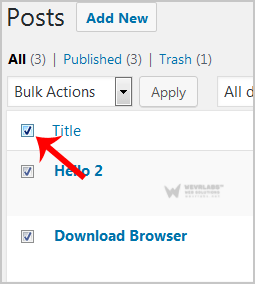
**3. **Tickmark the top checkbox and all checkboxes will be automatically selected.
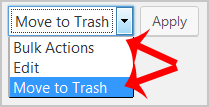
4. Now click on "Bulk Actions" and select "Move to Trash" from the drop-down menu. Then click on "Apply".
It's done. Your post is removed and no longer available for public view.