

1. Log into your cPanel account.
2. In the "Databases" section, click on "phpMyAdmin" Icon.

3. In left side-bar, Click on the expand button to expand database like "example".
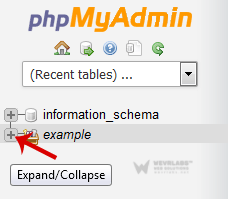
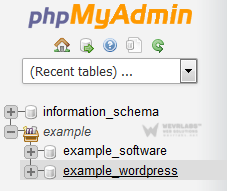
4. Under your cPanel username, you can see list of all databases. Select appropriate database which you want to repair.
**5. **Scroll down and mark "Check All" then click on the Drop-down option and select "Repair table".
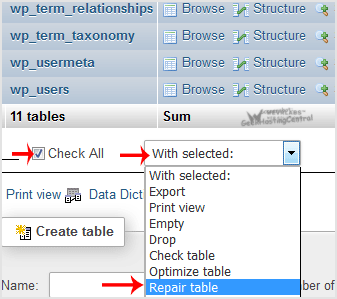
If table successfully repaired then it will show a "Ok" message otherwise it will show some error on few tables like "Error unknown engine" related errors.