

**
- Log into your SiteWorx account. (eg: www.example.com:2443/siteworx/ )
**
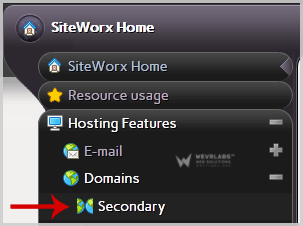
2. Under "SiteWorx Menu", click the "Hosting Features" menu item if it is not already open.
**
3**. Click the "Domain" menu item and then click on "Secondary" option.
**4. **Under "Existing Domains " tab, Select Appropriate domain name you want to delete.
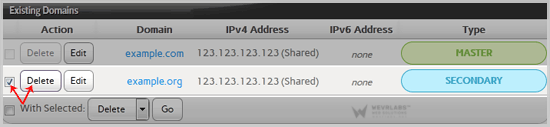
**5. **Click the "Delete" button.
6. A conformation window will appear, Again click on "Delete" button.
You should see a success message notifying you that your Secondary domain has been removed.