

To create a new email address, perform the following steps:
1. Log into your cPanel account.
2. In the "Email" section, click on "Email Account" Icon.

Find and click on "Create" button ... After you click it, the below screen will appear:
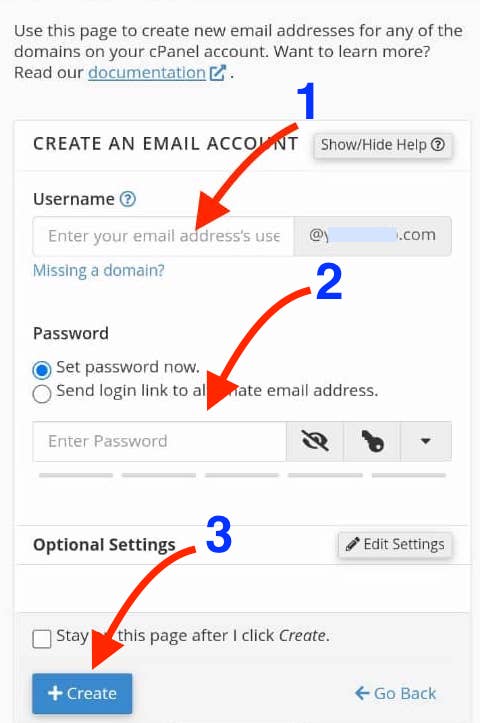
1. enter the first part of the email address that you wish to create, such as "info" if you you want to create an email address like: [email protected] ... (If you manage more than one domain, select the appropriate domain from the menu.)
2. enter a desired password for your email inbox.
3. once happy, click on the "**+ **Create" button.
Once your email account is created, it will appear under the "Account & Domain" tab.