If you don't want to use a 3rd party FTP Software, you can use the SiteWorx's inbuilt File Manager.
**1. **Log into your SiteWorx account. (e.g. www.example.com:2443/siteworx/ )
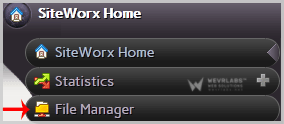
2. Under "SiteWorx Menu", choose the "File Manager" option.
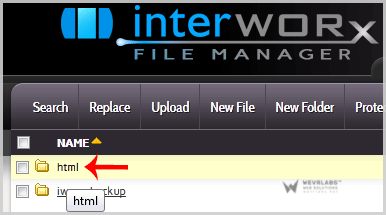
3. Navigate to the directory where you want to upload your files to. For example, should you wish to upload your file to the public html folder, you need to go to /html first. On the left side you can see a list of directories. Double Click on the "html" folder.
**
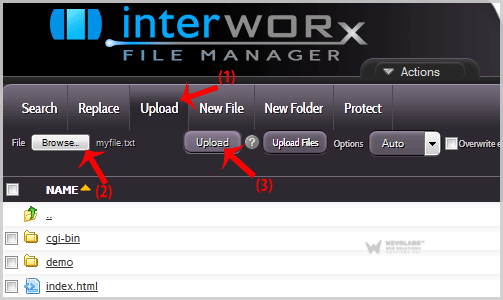
4. **Click on the "Upload" menu in the Top header section, click on the "Browse" button and select the file you want to upload from your PC. After you have selected the file, click on the "Upload" button to upload it.